Next-generation guitar tabs
Play songs the way they sound
Interactive tabs with realistic sound for every track and the original recording. Slow down, loop and learn riffs right in your browser.
Supports .gp, .gp3, .gp4, .gp5 and .gpx
Practice tools
A cursor that follows the sound
The tab scrolls with the music note by note, so you always see what to play next.
The original recording
Switch between the real recording and the clean sound of the tracks in one click: ORIG or SYNTH.
Slow-down and looping
Slow a tricky passage down to 25% without changing the pitch and loop it until your fingers remember it.
Track mixer
Mute your part to play it yourself, or hear it alone: solo, mute and volume for every instrument.
A live fretboard
A virtual fretboard shows where to fret every note at the very moment it sounds.
Metronome and count-in
The built-in metronome and a count-in before the start keep you in time from the first bar.
A tab that plays
Open a song and press Play. The cursor follows the sound, and the practice tools sit in one strip at the bottom of the screen.
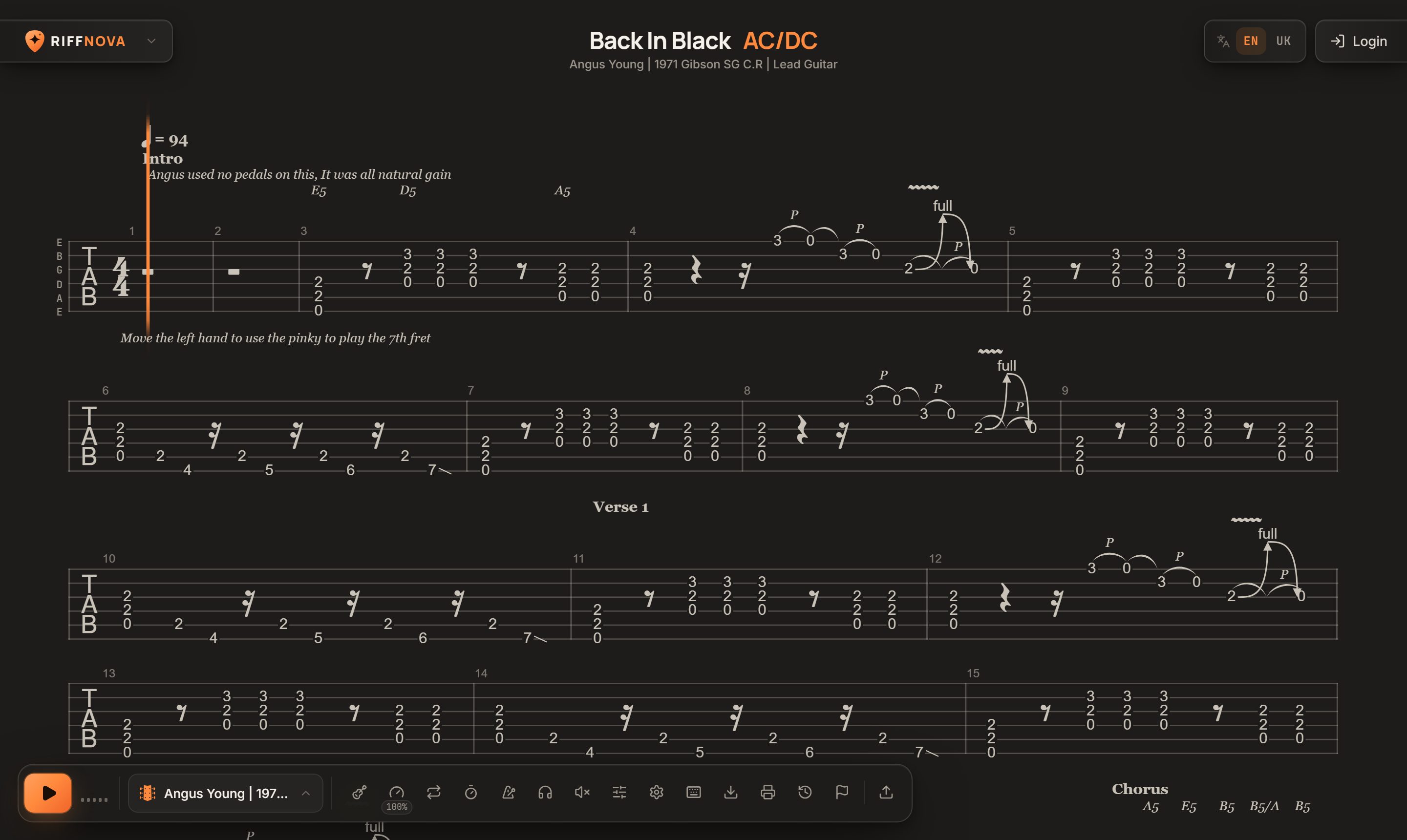
- The cursor marks the note playing right now
- Play and pause, or press Space
- Track: guitar, bass, vocals or drums
- Speed from 25% to 150%
- Loop, count-in, metronome, solo and mixer
From file to playing in a minute
Pick a song
Find it in the catalog or upload your own Guitar Pro file.
Set up your practice
Choose a track, tempo and sound, turn on the loop or the metronome.
Play along
Press Play and play with the music, following the cursor on the tab.
Frequently asked questions
Which files can I upload?
Guitar Pro files: .gp, .gp3, .gp4, .gp5 and .gpx. The server prepares the sound for every track automatically within a few minutes.
Do I need to install anything?
No. Riffnova runs in the browser on your computer, tablet and phone.
How does the tab sound?
Every track sounds realistic: guitars go through an amp and cabinet simulation. If a song has the original recording attached, you can listen to it in sync with the tab.
Can I slow a song down without changing the key?
Yes. Speed goes from 25% to 150% without changing the pitch, so even fast solos are easy to work out.
Are there keyboard shortcuts?
Yes: Space plays, L loops, M toggles the metronome, C the count-in, [ and ] change the speed, F shows the fretboard and digits pick a track. Press ? for the full list.